
 Login
Login

Quest Diagnostics Locations Near You
Find a nearby Quest Diagnostics location, then choose eligible blood tests through Private MD Labs. Most Quest Diagnostics locations support appointment booking; if a location is walk-in only, we will show that message before you visit.
How Quest Diagnostics testing works
- Find a nearby Quest Diagnostics location.
- Choose eligible blood tests through Private MD Labs.
- Book an appointment when available, or follow the walk-in-only message shown for that location.
- Visit Quest Diagnostics for your blood draw.
- Get secure results online, usually in 1-3 business days.
How can I schedule or reschedule an appointment?
You can schedule an appointment with Quest Diagnostics by following any of the steps below.
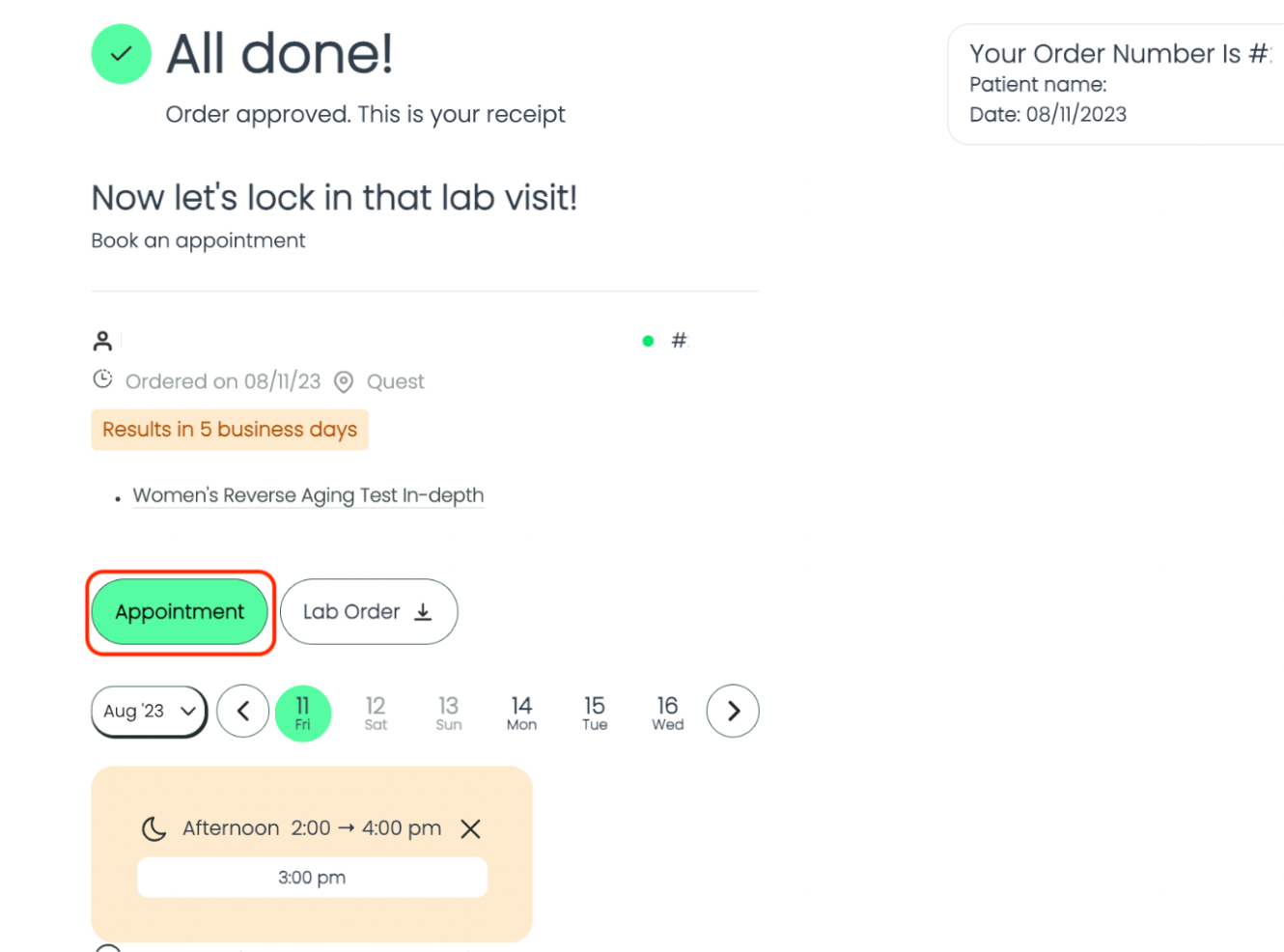
Right after placing your order:
- Finish checking out through www.privatemdlabs.com.
- Click on "Appointment" as shown below:
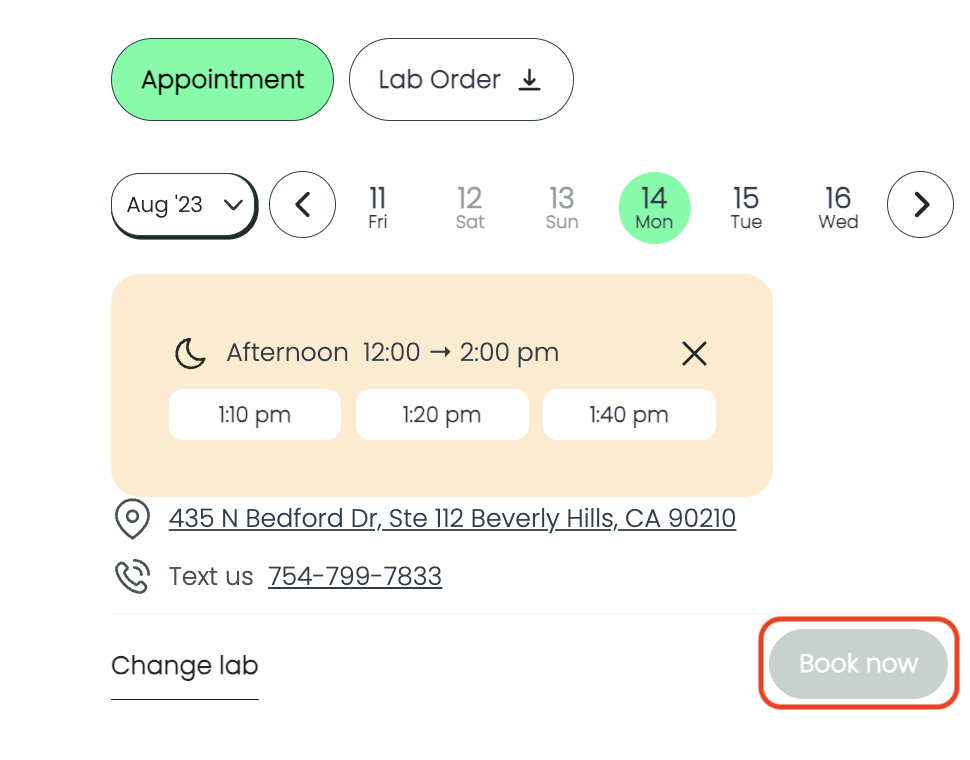
- Select the most convenient date and time. You'll only see available slots.
- Click on "Book now" when you're ready. It's that simple!
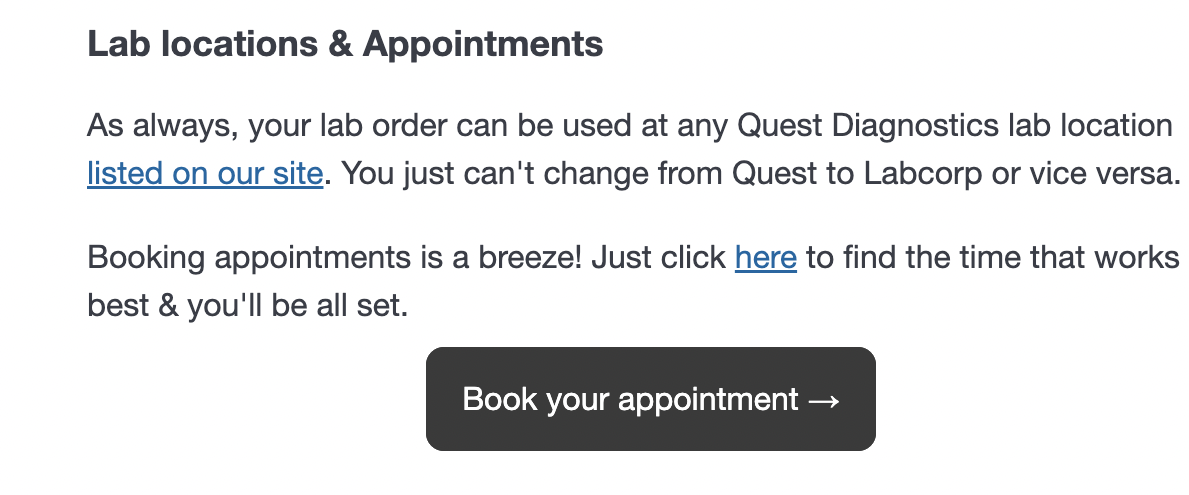
From your confirmation email:
- Scroll down and click on "Book your appointment".
- Click on "Appointment" as shown below:
- Select the most convenient date and time. You'll only see available slots.
- Click on "Book now" when you're ready.
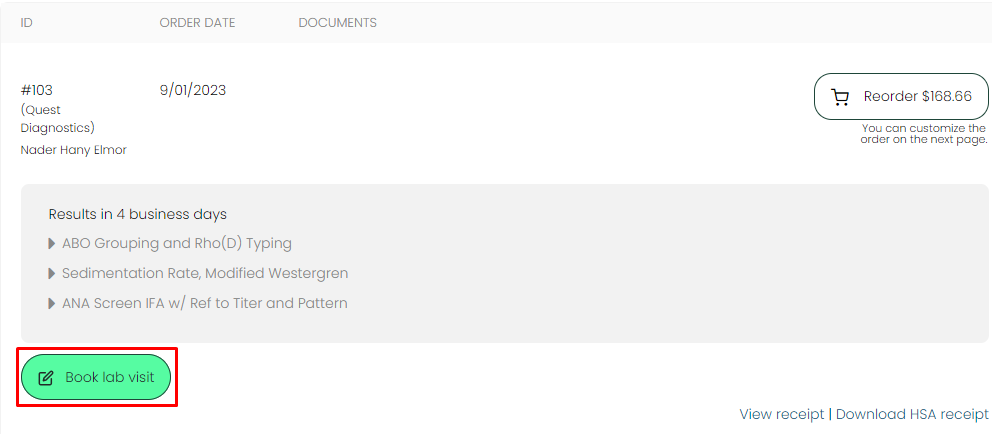
From your patient portal:
- Log into your patient portal.
- Identify the order you are looking to book.
- Click on "Book lab visit" as shown below:
- Select the most convenient date and time. You'll only see available slots.
- Click on "Book now" when you're ready.
You'll be able to see your confirmation code for your appointment on the screen.
If you want to modify or cancel your appointment, follow the steps above and click on the appointment button again to modify it.
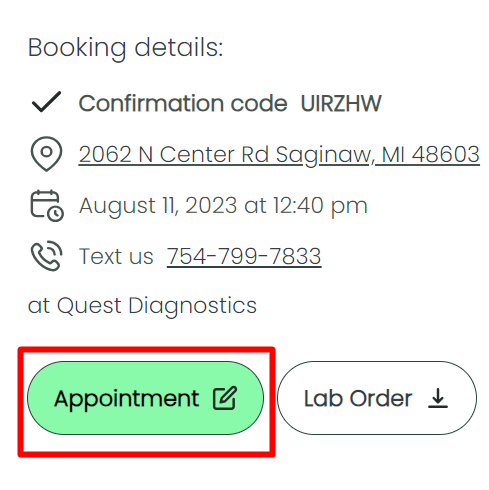
You'll be able to change your appointment date and time, location, or cancel your visit:
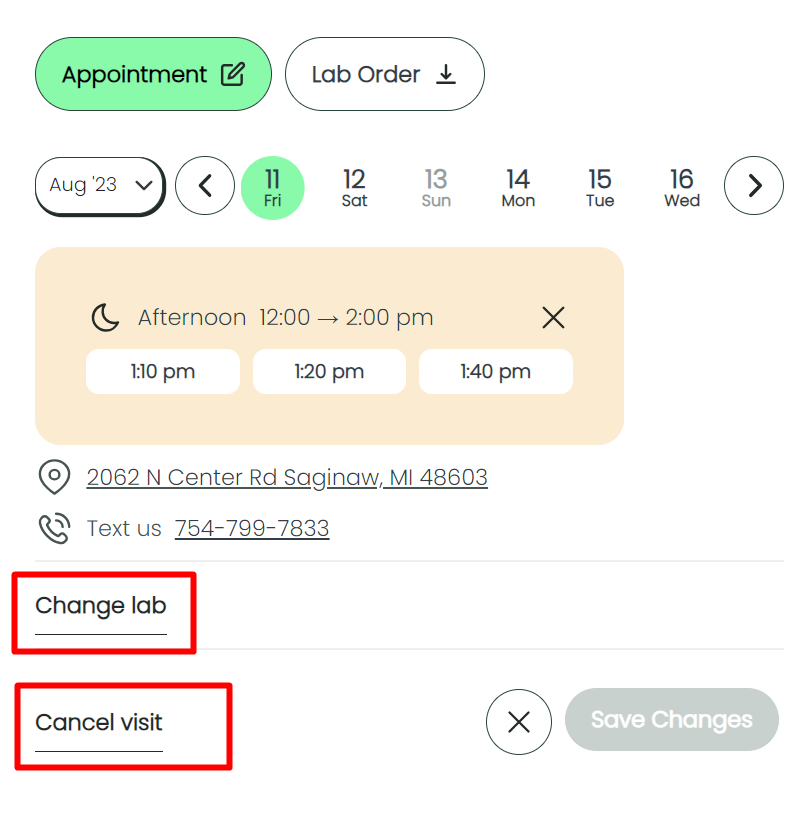
Please keep your confirmation code handy in case you need it when rescheduling or canceling. You can also text our super fast & friendly support team anytime at 754-799-7833.
-
How can I find the closest Quest Diagnostics location near me?
Use the lab locator above to find the nearest Quest Diagnostics Patient Service Center. Enter your 5-digit ZIP code and hit search — your results will list all Quest Diagnostics locations near you with hours of operation, and you can book an appointment from there. The results also show any restrictions for specimen collection at the location you choose.
-
Can I book a Quest Diagnostics appointment through Private MD Labs?
Yes. You'll be able to book directly on Private MD Labs for all Quest Diagnostics locations that support online appointment booking. A small number are walk-in only, and those locations will show a walk-in-only message.
-
Do I need to call Quest Diagnostics before my appointment?
No — you can book your appointment online without calling. If you'd like, you can call your selected Quest Diagnostics location to confirm hours of operation and any restrictions for specimen collection. Information on our website may not always be up-to-date, so we recommend verifying details directly with the Quest Diagnostics patient service center before your visit.
-
Do I need insurance to use Quest Diagnostics through Private MD Labs?
No. Private MD Labs orders are self-pay and do not require insurance.
-
Do I need to bring anything to Quest Diagnostics?
Bring a valid photo ID. Your lab order is securely transmitted to Quest Diagnostics electronically, so you don't need to bring a paper copy.
-
How fast are Quest Diagnostics results?
Most Quest Diagnostics results are available online in 1-3 business days after your lab visit.
-
Can I find a Quest Diagnostics lab location in NY, NJ, or RI?
Due to state laws, we currently cannot provide services in the states of, or to residents of, NY, NJ, or RI. Private MD Labs and Quest Diagnostics are independent entities and Private MD Labs neither acts nor operates on Quest Diagnostics' behalf.
-
Do I need an appointment at Quest Diagnostics, or are walk-ins accepted?
Yes, we recommend scheduling an appointment at Quest Diagnostics to reduce wait time at the lab. Some Quest Diagnostics locations accept walk-ins, but most prefer appointments, and a small number are walk-in only. You can book your Quest Diagnostics appointment right after placing your Private MD Labs order, and you can cancel or reschedule it later from your confirmation email or patient portal.
-
Do I need to fast before my Quest Diagnostics blood test?
Fasting requirements depend on the test. Lipid panels, glucose, and comprehensive metabolic panels typically require 8–12 hours of fasting before your Quest Diagnostics visit. Each test page lists its specific prep instructions before you order.
-
How much does blood work at Quest Diagnostics cost without insurance? Can I use HSA/FSA?
Private MD Labs is self-pay — no insurance required — and prices are listed on every test page, so there are no surprise bills. We accept HSA and FSA cards at checkout, and you can use the test at any Quest Diagnostics location available through Private MD Labs.
-
Are Quest Diagnostics labs open on weekends?
Hours vary by Quest Diagnostics location. Use the lab locator above to see the exact hours for the Quest Diagnostics location nearest you.
-
Do I need to visit a doctor?
Nope. You don't need a doctor's visit to get a test with us.
-
How do I get my results?
You'll get your results via email as soon as they are available. We will notify you via SMS as well. You can also see them at any time in the future right in your dashboard where you can easily share them with your professional and compare them side by side with future tests.
-
Does my lab prescription expire?
Your order itself never expires. The lab requisition document used by Quest Diagnostics is valid for 12 months from purchase per lab regulations; if it lapses before your visit, we will reissue a new one — in most cases at no additional cost. See our Terms & Conditions for the full policy.
- Reveal the reasons behind low energy
- Pinpoint causes of weight gain
- Confirm your testosterone levels accurately
- Pinpoint the cause of muscle fatigue
- Reveal hidden hormone imbalances affecting gains
- Clarify why your recovery is slow
- Checks for swelling or irritation in body
- Shows if your body has inflammation
- Detects possible hidden infections or injuries
- Check if tiredness comes from low iron
- Measure your body’s ability to store iron
- Analyze risk of weakness or pale skin
- Pinpoint the cause of your stress
- Reveal hidden adrenal issues effortlessly
- Clarify why you're feeling constantly tired
- Pinpoint your heart attack risk factors
- Reveal hidden cholesterol issues effortlessly
- Assess your cardiovascular health comprehensively

